Showing posts with label sniper. Show all posts
Showing posts with label sniper. Show all posts
Wednesday, April 15, 2015
World War II Sniper Call to Victory Download Free Offline PC Game

Genre : FPS
Platform : PC
Language : English
Size : 518 MB
Minimum System Requirements
OS: Windows XP
Processor: Pentium 4 1.5 GHz
RAM: 512 MB
Video Memory: 128 MB
Sound Card: DirectX Compatible
DirectX: 9.0
Hard Drive: 600 Mb free
Recommended System Requirements
OS: Windows XP
Processor: 2GHz Dual Core
RAM: 1 Gb
Video Memory: 256 MB
Sound Card: DirectX Compatible
DirectX: 9.0
Hard Drive: 600 Mb free
Click On Below Link To Download
World War II Sniper: Call to Victory Full Version PC Game Free Download
Screenshots


Saturday, March 28, 2015
Sniper Escape Walkthrough
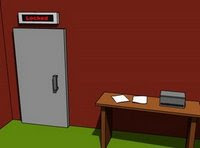 Sniper Escape is a point and click escape the room game.
You are locked in a room and you need to escape by finding items and solving some puzzles.
Good Luck!
Play Sniper Escape
Sniper Escape Walkthrough:
1. Look behind green box on right side
2. Take sniper scope
3. Return view
4. Go left once
5. Zoom in on safe
6. Click top of safe to see behind it.
7. Take rifle
8. Go left once
9. Zoom in on table
10. Click right side of box
11. Take white thing from behind box
12. Return view
13. Go left once
14. Zoom in twice on lower part of cabinet
15. Take USB stick in the upper left part of the lower part of the cabinet.
16. Return view
17. Go left once
18. Zoom in under table
19. Take screwdriver
20. Return view
21. Go left once
22. Zoom in on package, note number
23. Return view
24. Go left once.
25. Put rifle in green box
26. Add scope to rifle
27. Add white thing to rifle
28. Take rifle
29. Return view
30. Zoom in on hole in wall
31. Use rifle on hole
32. Note numbers on whiteboard
33. Note numbers on box below whiteboard
34. Press space, and return view.
35. Go left once
36. Zoom in on safe then on keypad.
37. Press keys in order noted from the whiteboard. (621435)
38. Take ammo
39. Return view
40. Go left trice
41. Zoom in on computer
42. Use screwdriver on square on computer
43. Push button at the bottom to turn on the computer
44. Use USB memory in the opened square
45. Note password
46. Zoom out, then zoom in again. Computer is prompting for power-on password.
47. Enter zipcode gotten from the two boxes (83746)
48. Note server
49. Return view
50. Go left twice
51. Put rifle in green box
52. Add ammo to rifle
53. Take rifle
54. Use rifle on hole
55. Shoot Server008
56. Press space, then return view.
57. Go right twice
58. Zoom in on computerscreen.
59. Enter password from usbstick (loc447)
60. Click on “Door system: Locked” to unlock door.
61. Return view.
62. Go right twice
63. Exit through door.
64. You have escaped
Online Games Escape games Casual games Room escape games Game solution Escape the room Game walkthrough Point and click games Game guide
Subscribe to:
Posts (Atom)